
VPN Access
Each BigT.AI workspace includes a VLESS+REALITY VPN endpoint. This gives you encrypted, direct access to your container's network — useful for secure browsing, accessing geo-restricted content, or connecting external tools to your AI agent.
Download the app (e.g. Android) and scan the QR code.
QR Code
Container: 702be3265c15

Share Link:
vless://7cdcb29b-bc20-4a8a-8665-5ff980dbab81@79.76.113.140:48715?encryption=none&security=reality&type=tcp&flow=xtls-rprx-vision&sni=www.microsoft.com&pbk=yUIM3yPcDkQR0KRevZ6AsfNbRqzEQcyNGJ7B_8MnSnQ&fp=chrome&sid=dc5321b6b7ee92fb#702be3265c15
Example: 4bafeb5f0496
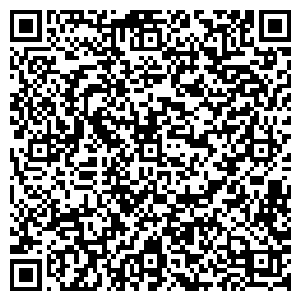
Share Link:
vless://0da341b9-688d-481c-9d83-dea469aee592@85.214.37.95:39375?encryption=none&security=reality&type=tcp&flow=xtls-rprx-vision&sni=www.microsoft.com&pbk=_jZuJQ_loDyT45D2MwtOhl0Eh2g4wz_YS06nhkM7l24&fp=chrome&sid=70efe17bab20a7b3#4bafeb5f0496
Use VLESS+REALITY proxy to securely access your AI agent from anywhere. Scan the QR code with Hiddify-Next or any VLESS-compatible client.
Download Hiddify:
| Store | Link |
|---|---|
| Google Play | Hiddify on Google Play |
| App Store | Hiddify on App Store |
| GitHub | GitHub Releases |
Connection Details
Your VPN credentials are displayed on the Service → Data page after creating your AI user:
| Field | Example (702be3265c15) |
|---|---|
| Address | 79.76.113.140 |
| Port | 48715 |
| UUID | 7cdcb29b-bc20-4a8a-8665-5ff980dbab81 |
| PublicKey | yUIM3yPcDkQR0KRevZ6AsfNbRqzEQcyNGJ7B_8MnSnQ |
| ShortId | dc5321b6b7ee92fb |
Client Setup
Hiddify (Recommended)
Hiddify is a cross-platform VPN client that supports VLESS+REALITY out of the box.
Download:
| Platform | File |
|---|---|
| Windows (Installer) | Hiddify-Windows-Setup-x64.exe |
| Windows (Portable) | Hiddify-Windows-Portable-x64.zip |
| Windows (MSIX) | Hiddify-Windows-x64.msix |
| macOS (Intel/Apple) | Hiddify-MacOS.dmg |
| macOS (Installer) | Hiddify-MacOS-Installer.pkg |
| Linux (AppImage) | Hiddify-Linux-x64-AppImage.AppImage |
| Linux (AppImage tar.gz) | Hiddify-Linux-x64-AppImage.tar.gz |
| Linux (Debian) | Hiddify-Debian-x64.deb |
| Android (Universal) | Hiddify-Android-universal.apk |
| Android (arm64) | Hiddify-Android-arm64.apk |
| Android (arm7) | Hiddify-Android-arm7.apk |
| Android (x86_64) | Hiddify-Android-x86_64.apk |
Also available on GitHub Releases.
Setup:
- Open Hiddify
- Tap + → Add Manually
- Enter your connection details:
- Type: VLESS
- Address:
79.76.113.140 - Port:
48715 - UUID: (from your service page)
- Flow:
xtls-rprx-vision - Encryption:
none - Network:
tcp - Security:
reality - Server Name (SNI):
www.microsoft.com - Fingerprint:
chrome - PublicKey: (from your service page)
- ShortId: (from your service page)
- SpiderX:
/
- Save and connect
Other Clients
Any VLESS+REALITY compatible client works:
| Platform | Client |
|---|---|
| Windows | v2rayN, Nekoray |
| macOS | V2rayU, Nekoray |
| iOS | Shadowrocket, Streisand |
| Android | v2rayNG, Hiddify |
| Linux | Nekoray, xray CLI directly |
Troubleshooting
| Issue | Fix |
|---|---|
| Connection timeout | Ensure port 48715 is not blocked by your firewall/ISP |
| TLS handshake failed | Verify the Server Name (SNI) is correct (www.microsoft.com) |
| Invalid UUID | Copy the UUID exactly from your service page — it's unique to your workspace |
| PublicKey mismatch | REALITY keys are stable across restarts; refresh from the service page if they were changed manually |